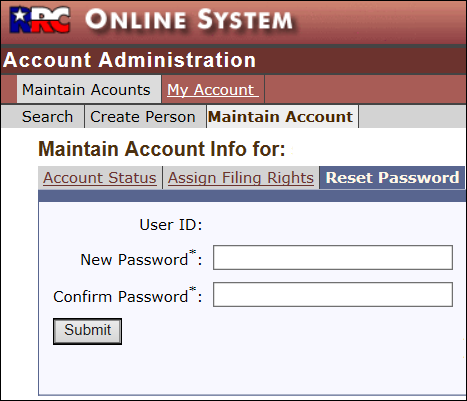







Managing Your Password
Only a COMPANY Security Administrator can reset a Filer's forgotten password.
The RRC Help Desk cannot reset Filer passwords.
Passwords...
- must have a minimum length of six (6) and not more than thirty (30) characters.
- can consist of letters, numbers, the following special characters (@, #, {, }, $, or |), or any combination of these characters.
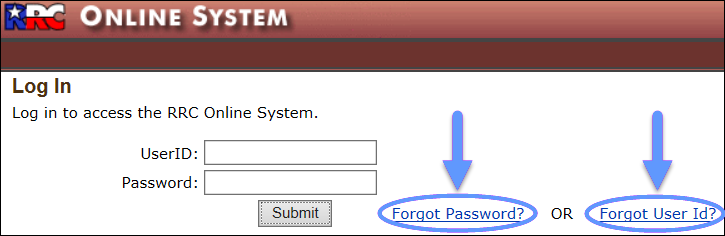
To manage a forgotten password or User ID, select the Forgot Password? or Forgot User Id? link on the RRC Online Log In page.
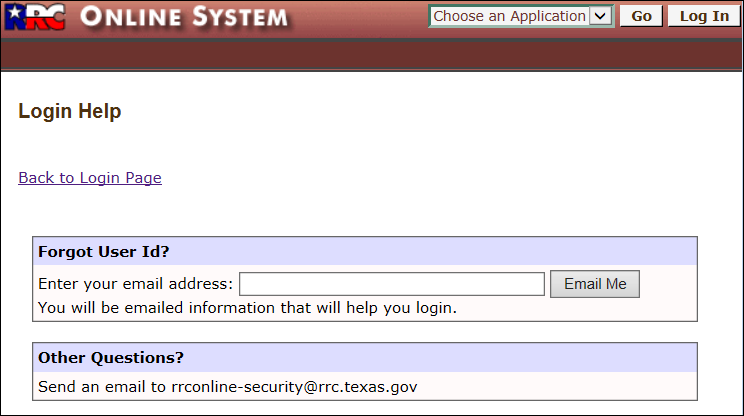
Forgot User ID?
- Enter your email address in the provided field.
- Click the Email Me button. Your User ID will be sent to that email address.
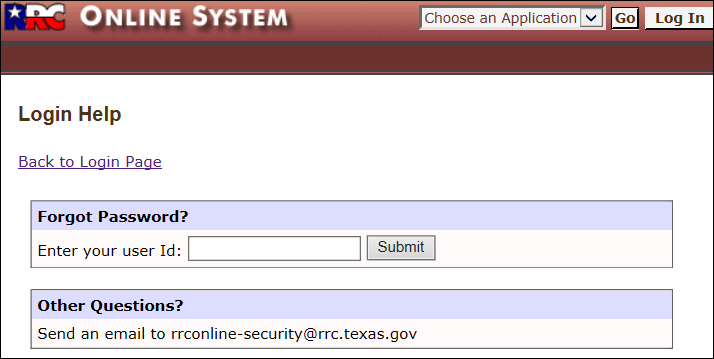
Forgot Password?
For a Security Administrator:
- Enter the Security Administrator User ID into the provided field.
- Click the Submit button. The password for that account will be reset, and the new password will be emailed to the Security Administrator (at the email address on the account).
For a Filer:
- Enter your User ID into the provided field.
- Click the Submit button. The system will identify your company's Security Administrator(s) and send them an email to reset your password.
Reset a Filer's Forgotten Password
A Security Administrator can reset forgotten passwords for Filers in their company. The new password will be for one-time-use only; the Filer must reset the password after they successfully log in.
NOTE: Only a COMPANY Security Administrator can reset a Filer's forgotten password. The Railroad Commission Help Desk cannot reset Filer passwords.
- Search for the Filer account. (See the Searching For Filer Accounts page for more information.)
- Click the User ID link for the Filer in the search results.
- Click the Reset Password tab to reset the Filer's password.
- Enter the temporary password in the New Password field.
- Enter the same password in the Confirm Password field.
- Click Submit at the bottom of the screen. Although the information clears from the screen, the password is reset, and a confirmation message displays in the upper left corner of the screen.
NOTE: The Security Administrator must notify the Filer of their new one-time-use password. After the Filer logs in with the one-time-use password, the Filer must reset the password on the My Account tab.